WordPress.org

Angola

  • Temas
  • Plugins
  • Notícias
    • Documentação
    • Fóruns
  • Sobre
  • Padrões
    • WordPress Meetup Guia
  • Colabore
  • Traduções
  • Contacto
  • Remembers
  • Blocks
  • Education
  • Get WordPress
Get WordPress
WordPress.org

Plugin Directory

WP Telegram Login & Register

  • Submit a plugin
  • My favorites
  • Log in
  • Submit a plugin
  • My favorites
  • Log in

WP Telegram Login & Register

Por WP Socio
Baixar
Live Preview
  • Detalhes
  • Avaliações
  • Instalação
  • Desenvolvimento
Suporte

Descrição

Let the users login to your website with their Telegram and make it simple for them to get connected and let them receive their email notifications on Telegram.

Why Telegram Login?

  • Removes the lengthy registration forms
  • Removes the need for captchas
  • Removes the need for email verification
  • No “forgot password?” stuff
  • Provides enough information about the user

Features

  • Safe, secure and easy login method
  • Relies upon SHA-256 hashed data strings
  • User data is trustworthy – verified by Telegram
  • Can be used to prevent spam registrations
  • Easy to install and set up for the admin
  • Can be used to let new users sign up
  • Existing users can connect their Telegram account
  • Users can be given any desired role on the website
  • Login button can be displayed anywhere
  • Can be extended with custom code

Widget Info

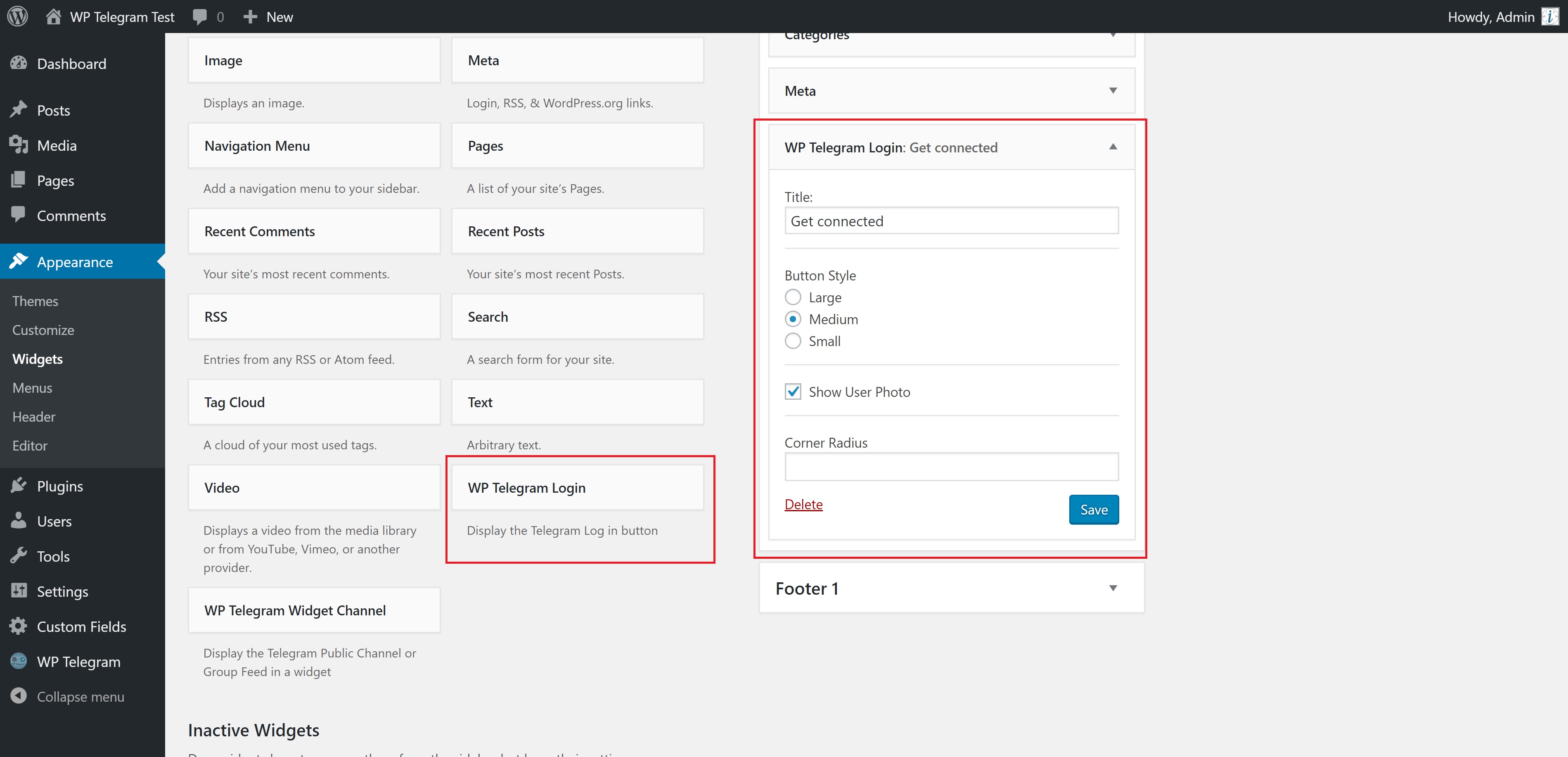
Goto Appearance > Widgets and click/drag WP Telegram Login and place it where you want it to be.

Alternatively, you can use the below shortcode.

Inside page or post content:

[wptelegram-login button_style="large" show_user_photo="1" corner_radius="15" show_if_user_is="logged_in"]

Inside the theme templates

<?php
if ( function_exists( 'wptelegram_login' ) ) {
    $args = array(
        // 'show_user_photo' => false,
        // 'corner_radius'   => 15,
        // 'button_style'    => 'large',
        // 'show_if_user_is' => 'logged_out',
    );

    wptelegram_login( $args );
}
?>

or


Telegram Web App data

The plugin can also handle the data sent by the Telegram Web App. Simply send window.Telegram.WebApp.initData query string to this URL:

http://<your-website.com>/?action=wptelegram_login&source=WebAppData

The final URL might look like this:

http://<your-website.com>/?action=wptelegram_login&source=WebAppData&query_id=XXXX&user=XXXX&auth_date=XXXX&hash=XXXX

The plugin will:

  • Validate the data for you
  • Create a user account for the user if it doesn’t exist
  • Login the user to the website in the context of your Web App.

Note: You need to use the same bot token for both the plugin and the Web App.

Excellent Support

Join the Chat

We have a public group on Telegram to help set up the plugin and discuss issues, features, translations, etc. Join @WPTelegramChat
For rules, see the pinned message. No spam, please.

Get in touch

  • Website wpsocio.com
  • Telegram @WPTelegram
  • Facebook @WPTelegram
  • Twitter @WPTelegram

Contribution

Development takes place in our Github monorepo, and all contributions welcome.

Imagens de tela
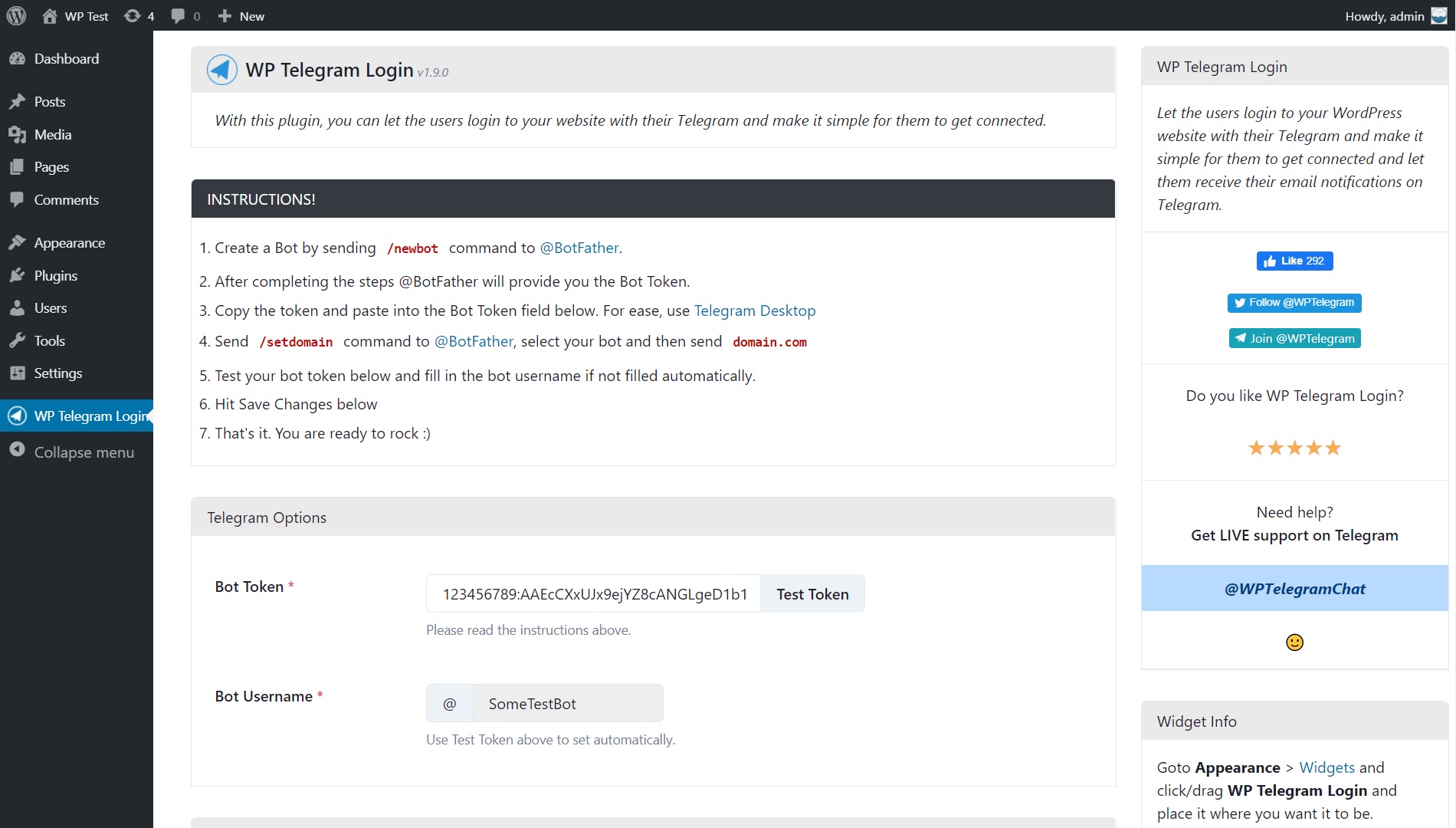
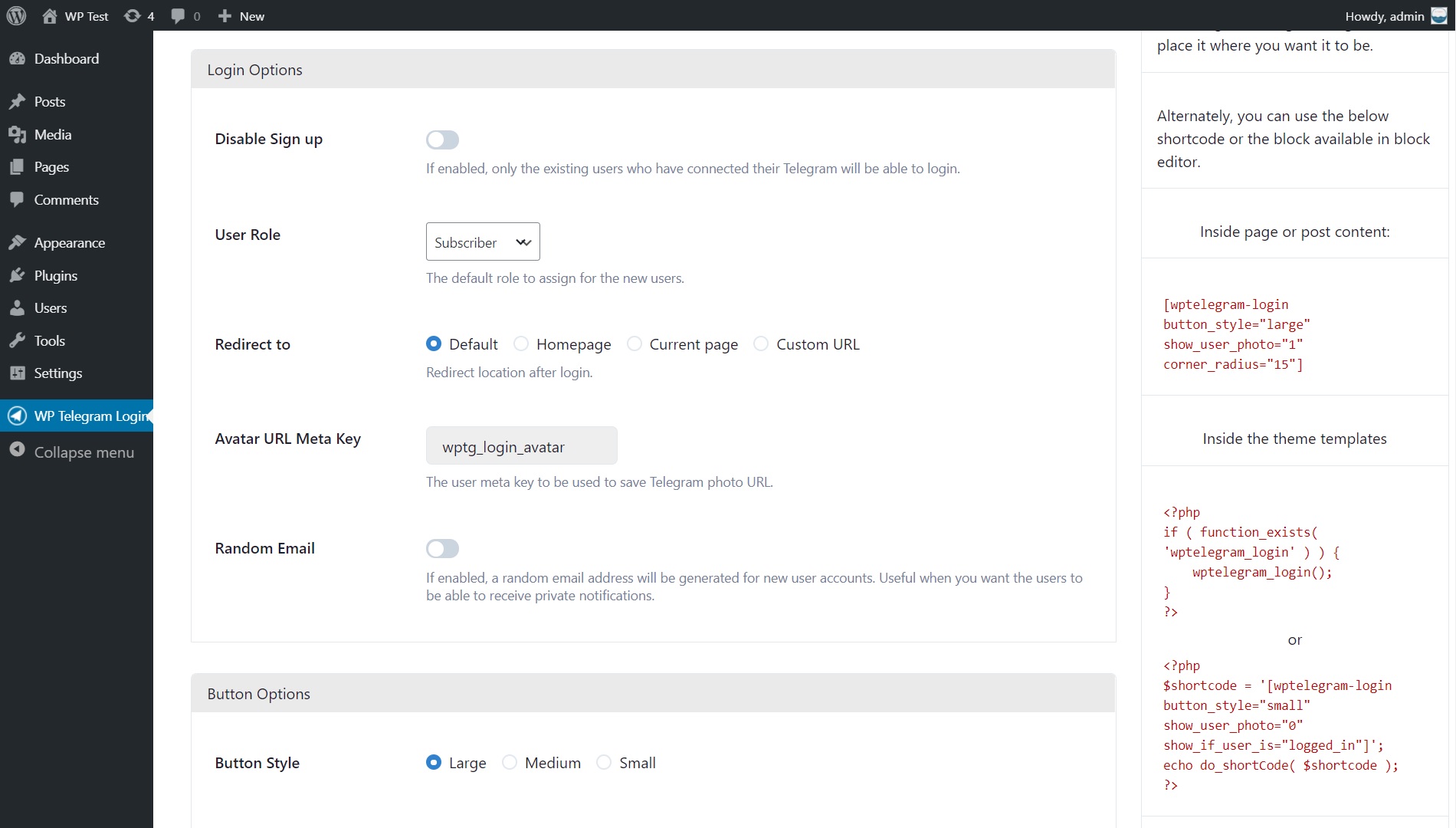
  • Settings Page
  • Settings Page (Cont…)
  • Settings Page (Cont…)
  • Widget Settings (back-end)
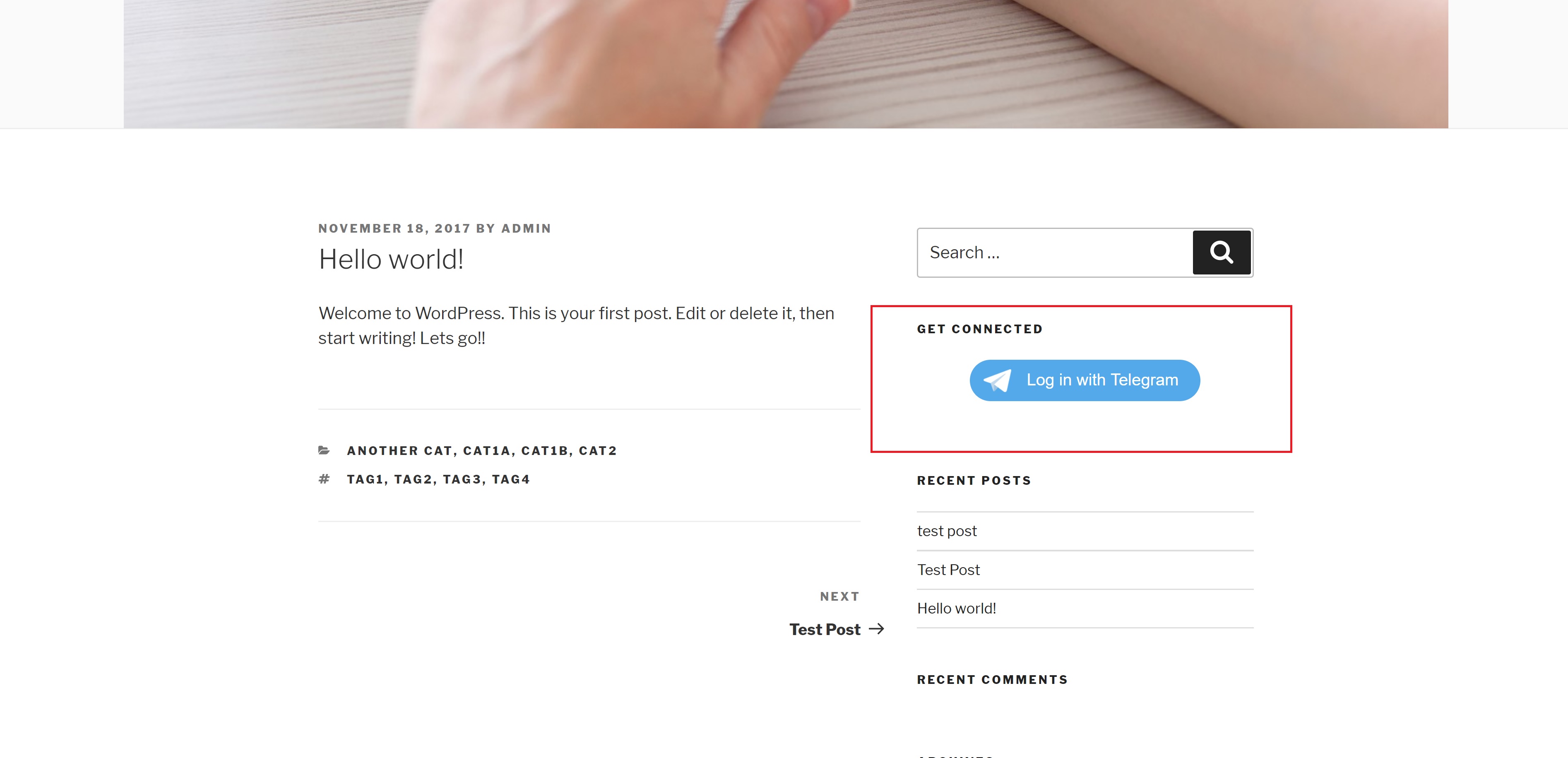
  • Widget View (front-end)
  • Login and Register page
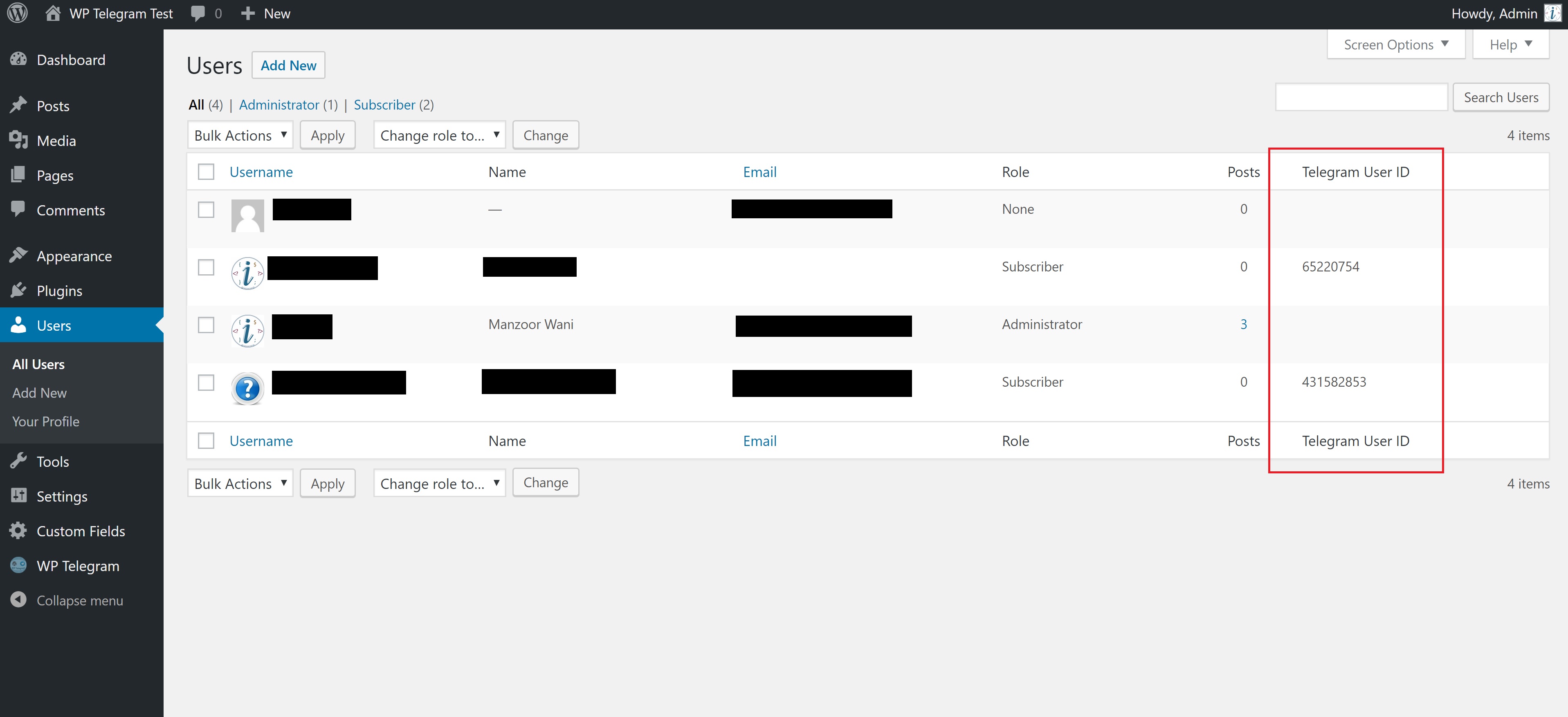
  • User List Table (for admin)
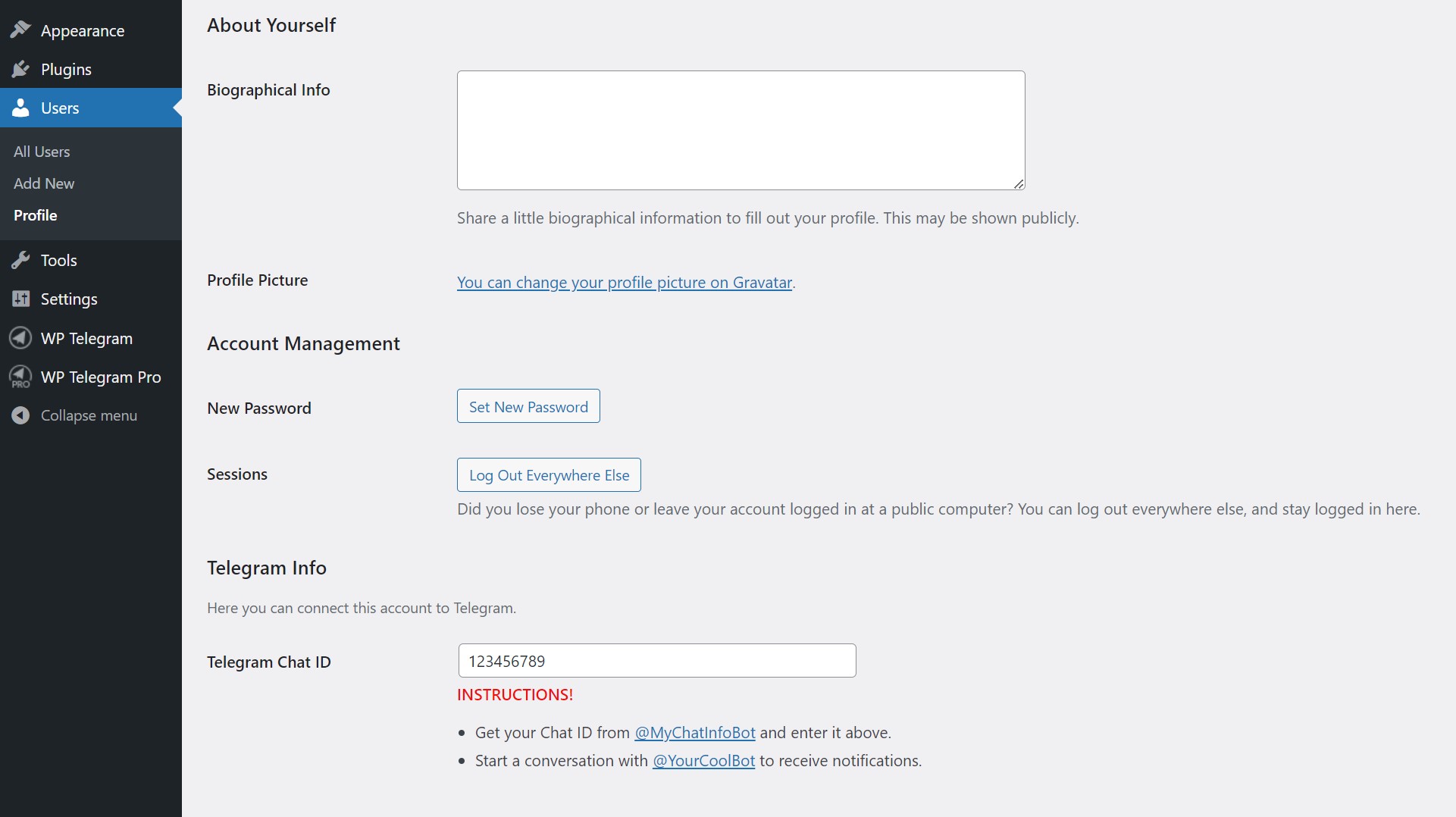
  • User Profile (wp-admin)
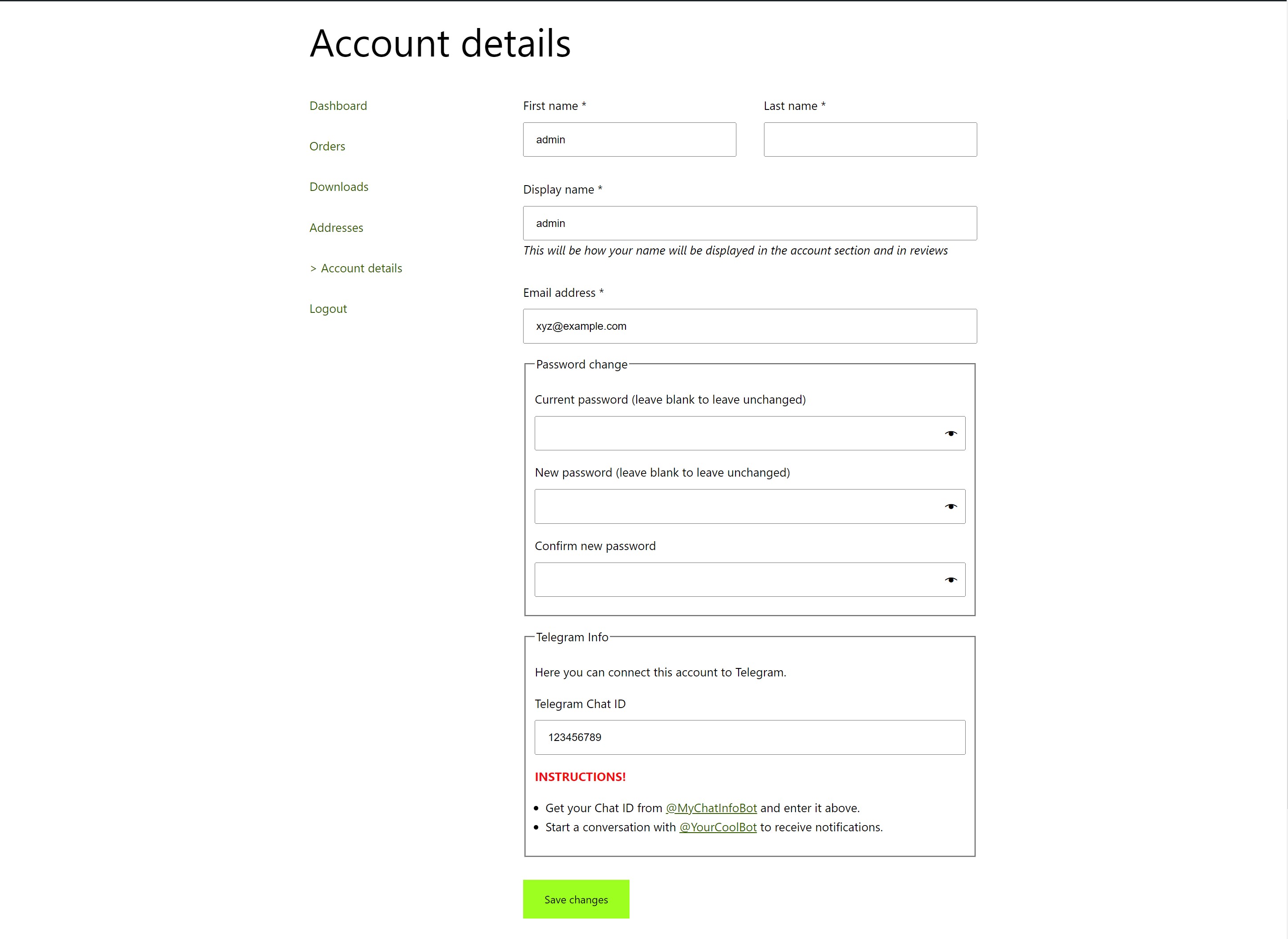
  • WooCommerce Account Page

Blocos

Este plugin disponibiliza 1 bloco.

  • WP Telegram Login

Instalação

Automatic installation

Automatic installation is the easiest way — WordPress will handle the file transfer, and you won’t need to leave your web browser. To do an automatic install of the plugin:

  • Log in to your WordPress dashboard
  • Navigate to the Plugins menu, and click “Add New”
  • In the search field type “wptelegram-login” and hit Enter
  • Locate the plugin in the list of search results
  • Click on “Install Now” and wait for the installation to complete
  • Click on “Activate”

Manual installation

Manual installation method requires downloading the plugin and uploading it to your web server via your favorite FTP application. The official WordPress documentation contains instructions on how to do this here.

Updating

Automatic updates should work smoothly, but we still recommend you back up your site.

FAQ

How to create a Telegram Bot

How do I create a bot?.

Can I display button more than once on a page

Sorry, that’s not possible because Telegram allows only a single button per page.

I see “Bot domain invalid” message

Please follow the instructions given on the WP Telegram Login settings page.

It looks like you missed one that says to send the /setdomain command to @BotFather.

Avaliações

Great Telegram related plugins

Imran Malik 27 de Outubro, 2025
Great plugins and supports from the plugin author. Been using few plugins related to Telegram from the same author. Hopefully the author could produce more plugins related to Telegram such as Telegram Mini Apps, Telegram Star, Telegram bot (ability to control bot from wp). Thanks always for this great plugins and great support. Keep up the good work.

Очень классный плагин — установил и всё GOOD

RealMag777 25 de Março, 2025 1 reply
Очень классный плагин — просто установил, и всё сразу заработало! Теперь заход в сайт только по кнопке Telegram, что мне и нужно было. Особенно понравилась возможность кастомизации. Мой сайт использует данные из констант, и я легко подключил их в систему через хуки. Даже не пришлось читать документацию — просто заглянул в код, и всё стало понятно. За пару минут всё настроил. Отличный инструмент — рекомендую всем, кому нужен быстрый и безопасный вход через Telegram. Пользуйтесь! p.s add_filter('wpsocio\wputils\options_wptelegram_login_get_bot_token', function ($value) { return BOT_TOKEN; }); add_filter('wpsocio\wputils\options_wptelegram_login_get_bot_username', function ($value) { return BOT_USERNAME; }); add_filter('wpsocio\wputils\options_wptelegram_login_get_redirect_to', function ($value) { return 'custom_url'; }); add_filter('wpsocio\wputils\options_wptelegram_login_get_redirect_url', function ($value) { return admin_url('edit.php?post_type=product&page=bot'); }); add_filter('wpsocio\wputils\options_wptelegram_login_get_disable_signup', function ($value) { return true; }); add_filter('wpsocio\wputils\options_wptelegram_login_get_show_user_photo', function ($value) { return true; }); add_filter('wpsocio\wputils\options_wptelegram_login_get_lang', function ($value) { return defined('BOT_DEFAULT_LANGUAGE') ? BOT_DEFAULT_LANGUAGE : 'en'; });

not work

ezodoc 18 de Março, 2025
in telegram mini-apps

High quality plugin and great support

ashraf88 19 de Outubro, 2024 1 reply
I just tried WP Telegram Login and WP Telegram Login Pro, and I have to say it’s an excellent plugin with a lot of features. The support team is also very helpful, offering direct chat for instant assistance instead of email, which is fantastic.

Working awesome

a2262755 1 de Fevereiro, 2024
Great job, thanks

Seamless Integration and Exceptional Support!

alexcodelab 29 de Janeiro, 2024
I recently integrated the WP Telegram Login & Register plugin into my website, and I couldn’t be happier with the results. This plugin offers a seamless and efficient way for users to log in and register through Telegram, adding a new level of convenience to the user experience. What truly sets this plugin apart, however, is the outstanding support provided by the development team. When I encountered a specific customization challenge, the support team not only responded promptly but also went above and beyond to create a tailored solution for my needs. Their friendly and professional approach made the entire process smooth and enjoyable. The plugin itself is well-designed, easy to configure, and functions flawlessly. The Telegram integration is a game-changer, offering a secure and user-friendly alternative for login and registration. Plus, the customization options provided by the plugin allow for a seamless integration with the overall look and feel of my website. In conclusion, the WP Telegram Login & Register plugin exceeded my expectations, not only in terms of functionality but also in the level of support provided. If you’re looking for a reliable and user-friendly solution with exceptional customer service, look no further. I highly recommend this plugin to anyone seeking a top-notch Telegram login and registration experience for their WordPress site.
Leia todas as 37 avaliações

Contribuidores e desenvolvedores

“WP Telegram Login & Register” é um software com código aberto. As seguintes pessoas contribuíram para este plugin.

Contribuidores
  • WP Socio
  • Irshad Ahmad

“WP Telegram Login & Register” foi traduzido para 8 localidades. Obrigado aos tradutores por suas contribuições.

Traduzir “WP Telegram Login & Register” para o seu idioma.

Interessado no desenvolvimento?

Navegue pelo código, dê uma olhada no repositório SVN ou assine o registro de desenvolvimento via RSS.

Registro de alterações

1.11.13

  • Allow passing redirect URL via shortcode.

See full changelog

Meta

  • Version 1.11.13
  • Last updated 2 meses atrás
  • Active installations 1.000+
  • WordPress version 6.5 ou maior
  • Tested up to 6.8.3
  • PHP version 7.4 ou maior
  • Languages

    Dutch, English (US), German, Polish, Russian, Spanish (Chile), Spanish (Spain), Swedish e Ukrainian.

    Traduza para o seu idioma

  • Tags
    loginregistersignupsocialtelegram
  • Panorama avançado

Classificações

4.9 out of 5 stars.
  • 36 5-star reviews 5 stars 36
  • 0 4-star reviews 4 stars 0
  • 0 3-star reviews 3 stars 0
  • 1 2-star review 2 stars 1
  • 0 1-star reviews 1 star 0

Adicionar a minha avaliação

See all reviews

Contribuidores

  • WP Socio
  • Irshad Ahmad

Suporte

Problemas resolvidos nos dois últimos meses:

1 de 1

Ver fórum de suporte

Doar

Gostaria de apoiar o desenvolvimento deste plugin?

Faça uma doação a este plugin

  • About
  • News
  • Hosting
  • Privacy
  • Showcase
  • Themes
  • Plugins
  • Patterns
  • Learn
  • Support
  • Developers
  • WordPress.tv ↗
  • Get Involved
  • Events
  • Donate ↗
  • Five for the Future
  • WordPress.com ↗
  • Matt ↗
  • bbPress ↗
  • BuddyPress ↗
WordPress.org
WordPress.org

Angola

  • Visit our X (formerly Twitter) account
  • Visit our Bluesky account
  • Visit our Mastodon account
  • Visit our Threads account
  • Visit our Facebook page
  • Visit our Instagram account
  • Visit our LinkedIn account
  • Visit our TikTok account
  • Visit our YouTube channel
  • Visit our Tumblr account
Código é poesia