
Descrição
Stop walking back and forth in your warehouse.
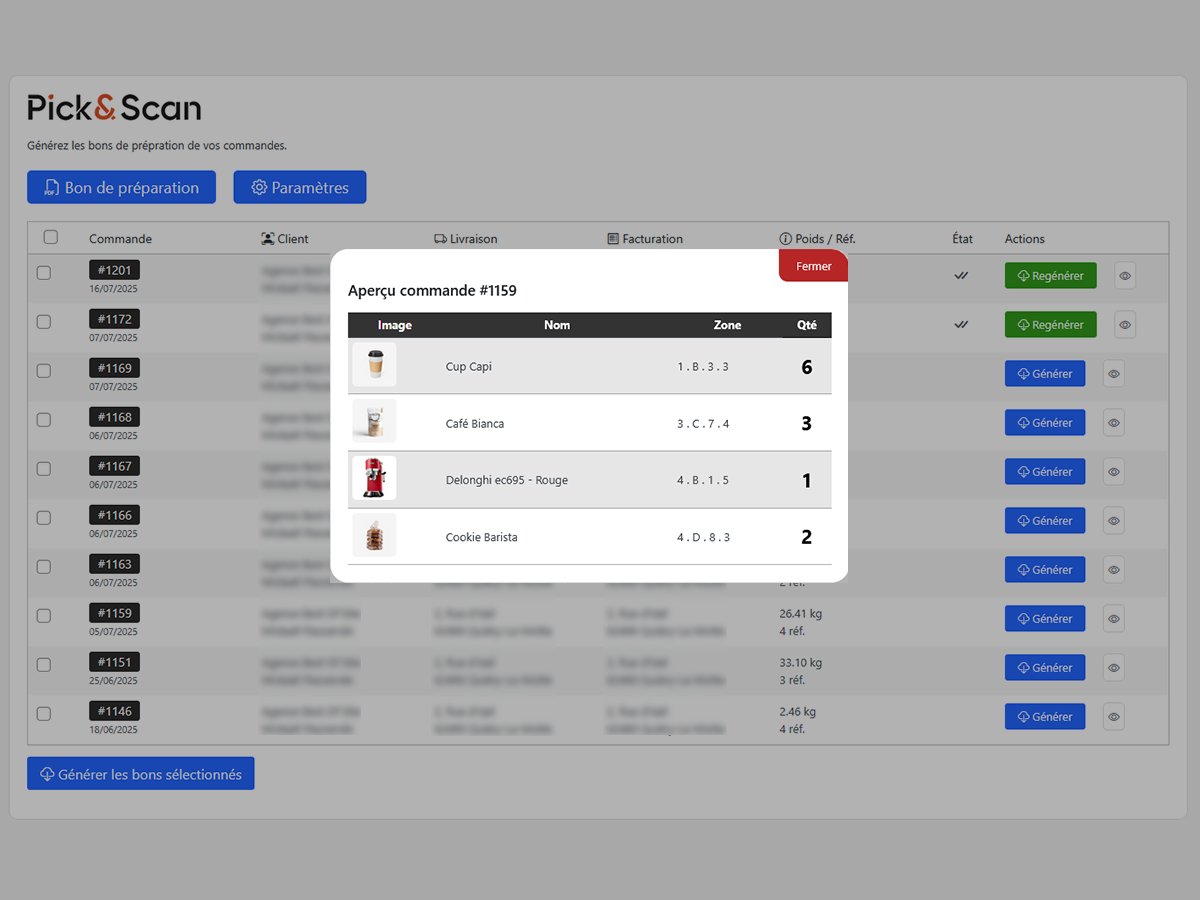
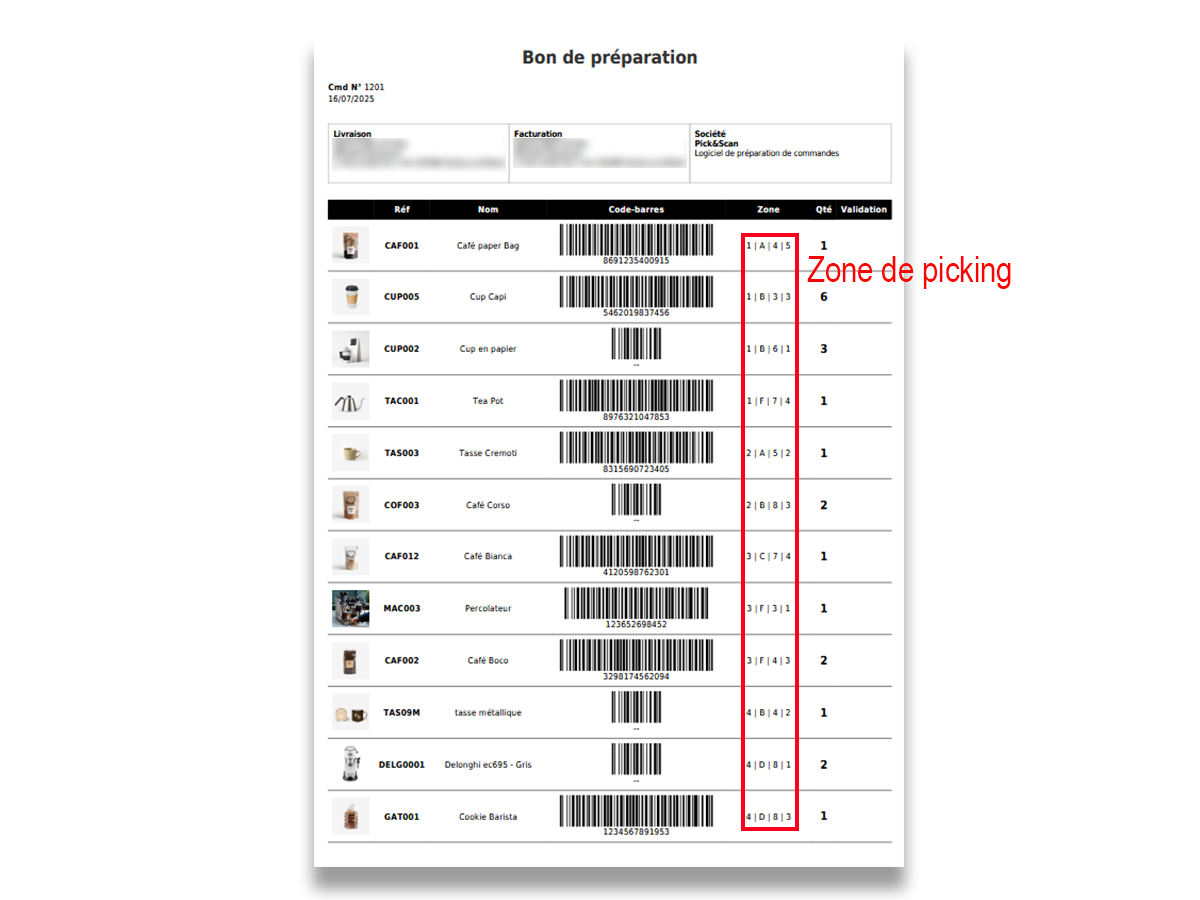
Pick&Scan Lite prints a PDF pick list for each WooCommerce order, with products sorted by their storage location: Zone, Aisle, Location and Shelf. Your picker follows the list from top to bottom and never goes back to an aisle twice.
Most pick list and packing slip plugins print products in the order the customer added them to the cart. Pick&Scan Lite prints them in the order your picker will find them on the shelves.
How it works
- Add the storage location (Zone, Aisle, Location, Shelf) to your products and variations. Four fields are added to the WooCommerce product page.
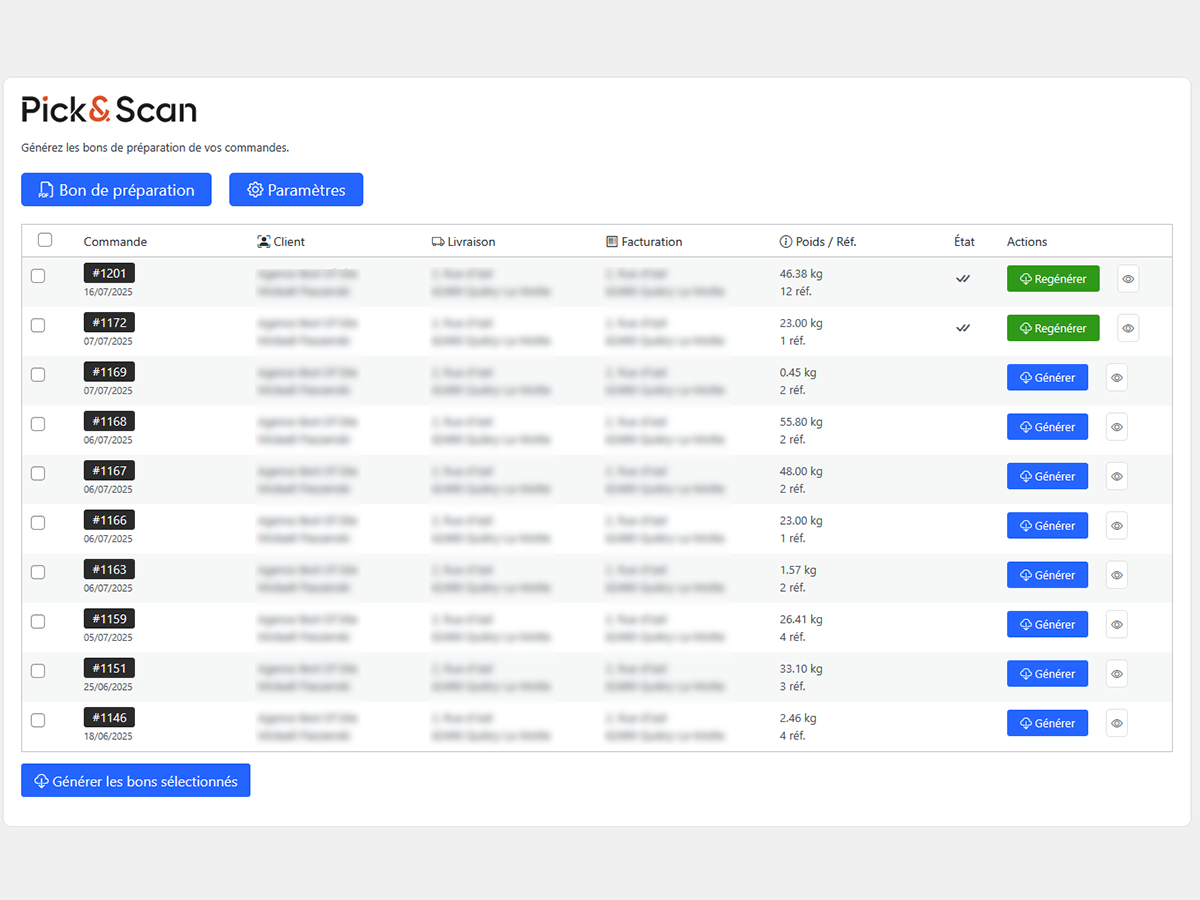
- Open Pick&Scan Lite Picking List and generate the PDF of an order in one click.
- Your picker follows the list in route order and ticks each line in the validation column.
Features
- PDF pick list sorted by bin location (zone, aisle, location, shelf)
- Location fields on simple products and variations
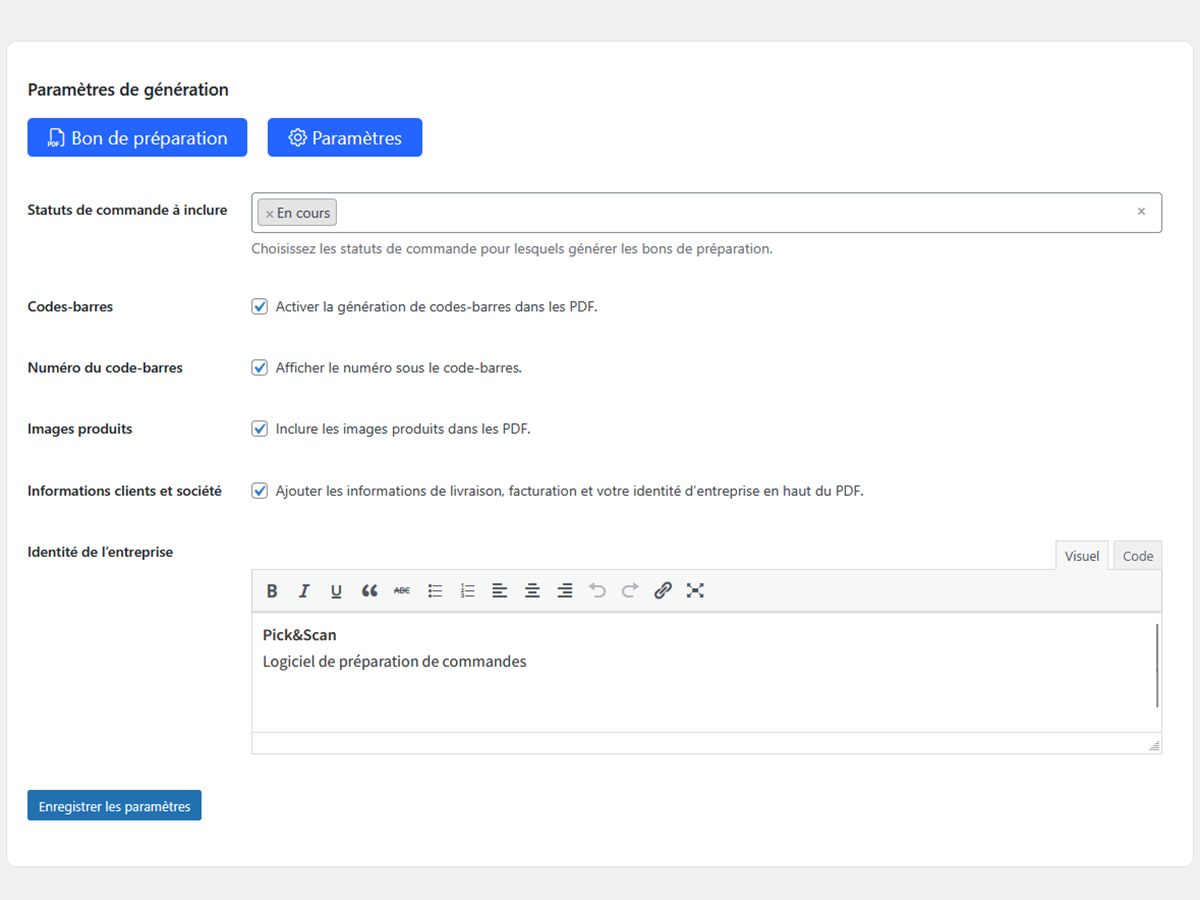
- Product barcodes from the WooCommerce GTIN/EAN field, with or without text
- Product images to avoid picking the wrong item
- Validation column to tick prepared items
- Shipping and billing addresses
- Your company details in the document header
- Choose which order statuses are listed
- Tracks which orders already have a pick list generated
- Generate pick lists for several orders at once in a single PDF
- Works with any printer: print the PDF and hand it to your picker, or slip it in the parcel
Who is it for?
Small e-commerce stores, warehouses and shops that prepare WooCommerce orders on paper and want a faster, more reliable picking route without buying any hardware.
Want to go paperless?
When paper is no longer enough, Pick&Scan (the full version) replaces the printed list with an Android scanning app:
- Voice-guided picking on any Android device or PDA
- Every item scanned and checked: wrong product or quantity is flagged instantly
- Optimized picking route and multi-order picking
- Real-time admin dashboard: orders, pickers, stock-outs
- Packing station with final checks and delivery notes
Learn more at pickandscan.fr.
Imagens de tela
Instalação
- In your WordPress admin, go to Plugins Add New, search for “Pick&Scan Lite” and click Install, then Activate. You can also upload the plugin folder to
/wp-content/plugins/. - WooCommerce must be installed and active.
- Go to Pick&Scan Lite Settings to choose order statuses and PDF options.
- Fill in the Zone, Aisle, Location and Shelf fields on your products.
- Go to Pick&Scan Lite Picking List and generate your first pick list.
FAQ
-
How are products sorted on the pick list?
-
By Zone, then Aisle, then Location, then Shelf. Fill these fields on each product or variation to get a pick list in walking order.
-
Do I need a barcode scanner?
-
No. Pick&Scan Lite is designed for paper picking. Barcodes are printed on the list so you can use a scanner later if you want.
-
Does it work with product variations?
-
Yes. Each variation can have its own storage location.
-
Can I print a pick list for several orders at once?
-
Yes. Tick the orders in the list and click “Generate selected slips”: you get one PDF with all the selected pick lists.
-
Is it compatible with WooCommerce HPOS (High-Performance Order Storage)?
-
Yes.
-
Is the plugin translated?
-
Yes, it is available in English and French.
Avaliações
There are no reviews for this plugin.
Contribuidores e desenvolvedores
“Pick&Scan Lite – WooCommerce Picking List PDF by Bin Location” é um software com código aberto. As seguintes pessoas contribuíram para este plugin.
Contribuidores
“Pick&Scan Lite – WooCommerce Picking List PDF by Bin Location” foi traduzido para 1 localidade. Obrigado aos tradutores por suas contribuições.
Traduzir “Pick&Scan Lite – WooCommerce Picking List PDF by Bin Location” para o seu idioma.
Interessado no desenvolvimento?
Navegue pelo código, dê uma olhada no repositório SVN ou assine o registro de desenvolvimento via RSS.
Registro de alterações
1.0.5
- Declared compatibility with WooCommerce High-Performance Order Storage (HPOS)
- Added WooCommerce dependency header (Requires Plugins)
- Fixed scripts not loading on the Premium page
- Tested with WordPress 7.1 and WooCommerce 11.0
1.0.4
- Tested with WordPress 7.1
- French translation update
1.0.3
- French translation update
1.0.2
- Initial release