

Descrição
This plugin connects the contact and quote forms on your WordPress site to your mez eSoft account. When someone fills in a form, the submission appears immediately in the Leads list in mez eSoft, where your team can assign it, call the person back and turn it into a deal.
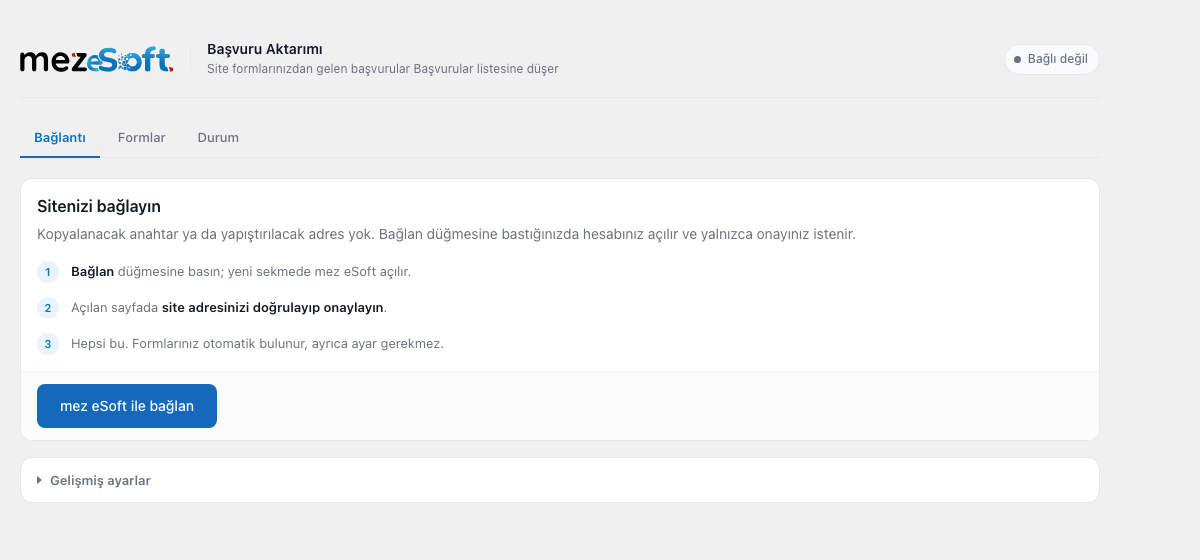
Setup is one click. You press “Connect with mez eSoft”, open the approval page and approve it, and you are done. There is no key to copy, no address to paste and no webhook to configure.
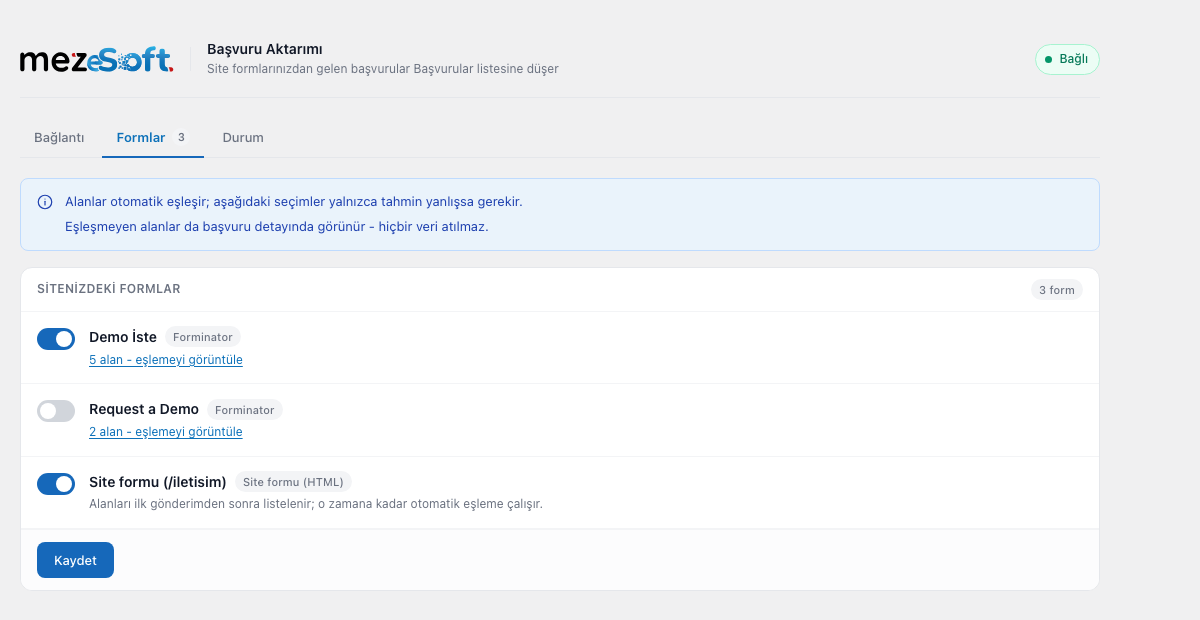
Your forms are detected automatically. The plugin works out which field is the phone number and which is the e-mail address. If a guess is wrong you can correct it on the Forms tab. Fields that do not match anything are kept as well and shown on the lead record, so no data is discarded.
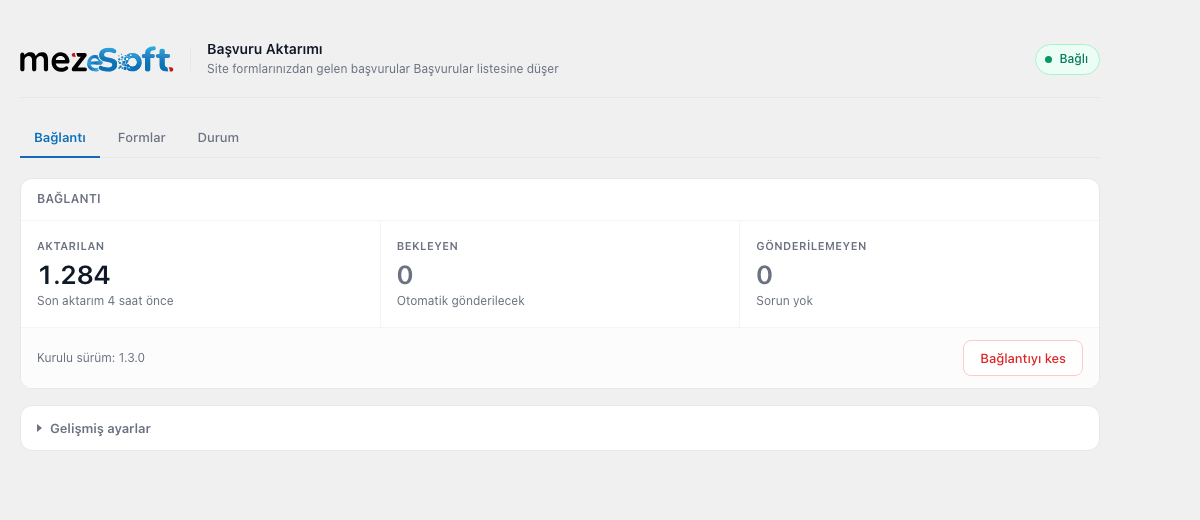
Submissions are not lost. If the connection breaks temporarily, submissions that could not be sent wait on your site and are transferred automatically once the connection is restored.
Supported form plugins
- Contact Form 7
- WPForms
- Elementor Forms (Pro)
- Forminator
- Gravity Forms
- Fluent Forms
- Ninja Forms
- Plain HTML forms written into the theme (optional)
Interface language
The plugin’s admin screens are in Turkish, because mez eSoft is used by clinics in Turkey. Translations are welcome through translate.wordpress.org.
Privacy and third party service
This plugin sends form submissions to your mez eSoft account. All communication goes to mez eSoft servers at https://app.mezesoft.com and nothing is sent anywhere else.
What is sent, and when:
- When you connect the site (once, and only after you press the button): your site address and your site title, so that you can recognise the site on the approval screen.
- When a visitor submits a form (only for forms you leave enabled): the values entered into the form fields (name, phone, e-mail, message and any other fields on your form), the form’s name, the address of the page the form was submitted from, and any extra fields you have defined yourself for that form on the Forms tab.
- Campaign parameters, if present in the page address (on by default, can be switched off under Advanced settings):
utm_source,utm_medium,utm_campaign,utm_term,utm_content,gclidandfbclid. This is a fixed list; no other address parameter is read, and nothing is stored on the visitor’s device. They are read at the moment the form is submitted, from the request or from the referring page address, so that mez eSoft can show which campaign the enquiry came from. - Once a day, automatically, while the site is connected: a short “still here” signal that carries no visitor data. It reports only your site address and the plugin version, so that mez eSoft can show whether the connection is still alive and whether the plugin needs updating. This stops when you disconnect the site or deactivate the plugin.
Your site address and the plugin version are also included in the request headers of the calls above.
Privacy policy: https://mezesoft.com/gizlilik-sozlesmesi/
Terms of use: https://mezesoft.com/kullanim-kosullari/
The service is operated by MEZ Bilisim A.S. The plugin requires a mez eSoft account to work. Visitor data is transferred only after you have connected the site, and only for the forms you leave enabled. No request is made to any external host before you connect the site.
Imagens de tela
Instalação
- Install and activate the plugin.
- Open the “mez eSoft” page from the admin menu.
- Press the “Connect with mez eSoft” button.
- Open the approval page with the button shown, check the site address and approve it.
That is all. Your forms are detected automatically and start being transferred.
FAQ
-
I do not have a mez eSoft account, is the plugin useful?
-
No. The plugin transfers submissions to your mez eSoft account; without an account there is nowhere to send them.
-
Can I choose which forms are transferred?
-
Yes. You can switch each form on or off individually on the Forms tab. All forms are enabled by default.
-
What if the field mapping is wrong?
-
On the Forms tab you can pick manually which mez eSoft field each form field goes to. A manual choice always overrides the automatic guess.
-
Can I change the name a field is sent under?
-
Yes. On the Forms tab, each form field has a “sent key” box next to its mapping. Leave it empty to keep the field’s own label. If you change it, remember to update any automation in mez eSoft that refers to the old name.
-
Can I send values that are not on the form?
-
Yes. On the Forms tab you can add extra fields to any form. A fixed value is sent as you type it; a dynamic value is worked out at the moment the form is submitted and can use shortcuts such as
{utm.source},{page.url},{form.name},{site.name}and{date.d.m.Y}. The full list is shown on the Forms tab. Shortcuts can be mixed with text, for exampleWeb - {utm.source}. -
Are submissions lost if mez eSoft cannot be reached while the site is connected?
-
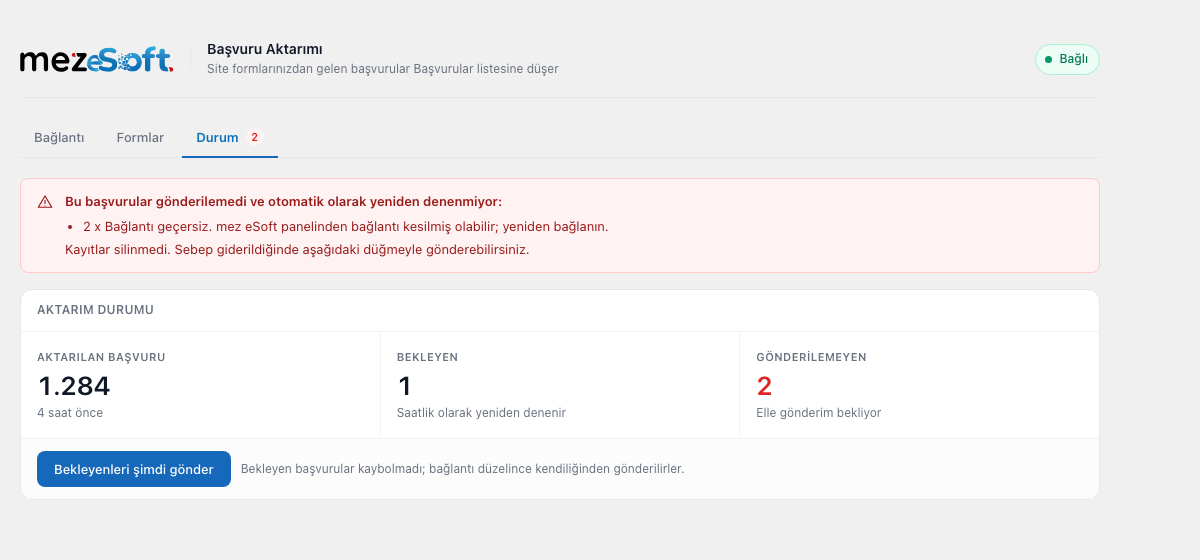
No. Submissions that could not be sent wait on your site and are sent automatically once the connection is restored. The Status tab shows how many are waiting and lets you send them immediately.
-
Does the plugin contact mez eSoft when nobody fills in a form?
-
Yes, once a day, and only while the site is connected. It is a short signal that carries no visitor data; it reports your site address and the plugin version so that mez eSoft can show the connection as alive and tell you when an update is needed. Disconnecting the site or deactivating the plugin stops it.
-
I have a hand written HTML form in my theme, is that transferred too?
-
Yes, if you enable “Also capture HTML forms embedded in the theme” under Advanced settings. This mode inspects every form submission on the site, so it is disabled by default. Fields whose names look sensitive (password, card, national ID) are never transferred in this mode.
Avaliações
There are no reviews for this plugin.
Contribuidores e desenvolvedores
“mez eSoft Lead Submission” é um software com código aberto. As seguintes pessoas contribuíram para este plugin.
Contribuidores
Traduzir “mez eSoft Lead Submission” para o seu idioma.
Interessado no desenvolvimento?
Navegue pelo código, dê uma olhada no repositório SVN ou assine o registro de desenvolvimento via RSS.
Registro de alterações
1.7.2
- Removing the plugin, or disconnecting from its settings, now tells mez eSoft straight away. Previously the connection stayed listed as active there, so reinstalling the plugin opened a second channel for the same site and split its enquiry history in two.
- Reconnecting is possible again when mez eSoft no longer recognises the site. Previously the Connection tab showed only a warning: pressing “Reconnect” returned to the same warning and the approval step was never reached, so the site could not be reconnected from that screen at all.
- After reconnecting, the Connection tab stops warning straight away instead of waiting for the next daily check.
- Submissions that arrived while the connection was down are now sent on their own once you reconnect. Previously they were held back until you pressed “Send pending now” by hand, and that button was hidden on the very screen that promised they would go automatically.
1.7.1
- Submissions made while the site is not connected are now kept and sent once the connection is restored. Previously they were lost without a trace, even though the Status tab said they were being kept.
- A connection that was revoked in mez eSoft is now noticed and shown on the plugin screen, with a button to reconnect. Previously the plugin kept showing a green “connected” badge.
- A revoked connection no longer fills the waiting list with retries that cannot succeed.
1.7.0
- You can now change the key each form field is sent under, instead of always using the field’s own label.
- You can now add extra fields to any form: a fixed value, or a dynamic one worked out when the form is submitted (page address, form name, site name, date, campaign parameters).
- Campaign parameters in the page address (utm_source, utm_medium, utm_campaign, utm_term, utm_content, gclid, fbclid) are now sent with the submission, so enquiries can be filtered by source and campaign in mez eSoft. This can be switched off under Advanced settings.
- The page address recorded with a submission is now correct for forms that post to their own page; previously such submissions were recorded against the home page.
- Submissions from forms with more than a hundred fields are no longer rejected; the extra fields are trimmed instead of the submission being lost.
- An update notice left over from before an update is no longer shown after the update.
- Form fields that are not part of a particular submission (an unticked checkbox, a hidden conditional field) are no longer dropped from the Forms tab, so their settings survive.
- A form whose address contains non-Latin characters can now be configured; its settings were previously written against a mangled identifier and never applied.
- Submissions from very long page addresses or deep page paths are no longer rejected; the values are trimmed instead.
1.6.1
- Field names arriving from plain HTML forms are now sanitised as well, not only their values.
- Update and connection notices are shown on the Plugins screen and the plugin’s own pages instead of every admin screen, and can always be dismissed.
- The approval page is now opened with the button on screen rather than automatically.
- Corrected the terms of use link and the tested WordPress version.
1.6.0
- The plugin now reports once a day that it is still running, so the connection is shown as live in mez eSoft even on sites whose forms are filled in rarely.
- A site whose plugin has been removed or switched off is now marked in the panel instead of appearing healthy.
- An update notice is cleared as soon as the update is done, without waiting for the next submission.
1.5.2
- The readme is now in English, as required by the plugin directory.
- Removed a redundant translation loading call and hardened a database query.
1.5.1
- Full compliance with the WordPress coding standards; admin notice text is no longer carried in the address bar.
1.5.0
- The plugin version is reported to mez eSoft; each site’s version is visible in the panel.
- An admin notice appears when an update is needed. If a version that transfers data incorrectly is in use, the notice cannot be dismissed.
- Transfer is never interrupted by the version check; the notice is informational only.
1.4.0
- When the site is not connected, the Status tab now explains why and offers a way to reconnect.
- Submissions that could not be transferred (no phone or e-mail) and queue overflows are now counted and shown.
- Network and certificate errors are explained in plain language.
- Accessibility: names for switches and dropdowns, current tab indication, focus trap in the confirmation dialog.
- Secondary text contrast raised to WCAG AA.
1.3.0
- The admin interface was redesigned to match the visual language of the mez eSoft panel.
- The plugin is now called “mez eSoft Lead Submission”.
- Disconnecting is confirmed in a designed dialog instead of a browser window.
1.2.0
- Field detection fixed: fields such as “date of birth” and “national ID” are no longer mistaken for a phone number.
- Submissions that could not be sent are now shown with their reason on the Status tab; nothing is lost silently.
- On multisite installations, removing the plugin now clears data for every site.
1.1.0
- Added Forminator support.
1.0.0
- First release.